Great videos are not made by accident. They are shaped in the edit. One clean cut, one smart sound choice, or one well-timed transition can turn an average clip into something people actually want to watch. That is why learning the right video editing tips matters more than having the best camera or fancy gear.
If you have ever wondered why some videos hold your attention while others feel boring, this guide is for you. Editing is not about pressing random buttons. It is about knowing how to edit a video in a way that feels smooth, clear, and natural.
In this article, you will learn practical video editing tips and tricks that real creators use every day. From beginner basics to platform-specific advice, this guide will help you make edits that feel professional and keep viewers watching till the end. Stick with me. It only gets better from here.
Video Editing Basics Everyone Should Learn First
Before jumping into fancy effects and cool transitions, you need to understand the basics. This is where most people get confused and give up early. The truth is, learning how to edit a video is much easier when you focus on simple steps first. Strong basics lead to clean, confident edits.
Understanding the Purpose of Editing
Editing is not about showing off effects. It is about telling a clear story. Every cut should have a reason. When you edit well, the viewer does not even notice the edits. They just enjoy the video. That is the goal.
Good editing helps you:
- Remove boring parts
- Keep attention strong
- Guide the viewer from start to finish
Once you understand this mindset, your edits instantly improve.
How to Edit a Video Step by Step
If you are new and asking how to edit videos, start with this simple flow:
- Import your video clips into the editing software
- Place them on the timeline in the right order
- Cut out mistakes, long pauses, and dead space
- Add light transitions only where needed
- Adjust audio so voices are clear and balanced
- Export the video in good quality
This process works whether you are editing for YouTube, TikTok, or any other platform. You do not need advanced skills to start. You just need clarity.
Keep Your First Edits Simple
Many beginners try to do too much. That usually hurts the video. Simple edits feel natural and professional. Once you master the basics, you will know exactly how to make edits that feel smooth and confident.
Video Editing Tips and Tricks for Better Storytelling

Great editing is not about being flashy. It is about making people feel something. The best editors use video editing tips and tricks that guide the viewer without them even noticing. When storytelling is strong, your video feels smooth, natural, and easy to watch.
Create Flow With the Right Clip Order
The order of your clips matters more than most people think. Each shot should lead into the next one naturally. Suppose a cut feels confusing, the story breaks. Ask yourself one simple question while editing. Does this shot help the viewer understand what comes next? If the answer is no, move it or remove it. This mindset alone will change how to make edits that feel professional.
Use Music to Control Emotion and Pacing
Music sets the mood of your video. A slow track makes moments feel calm and emotional. A faster beat adds energy and excitement. Try cutting clips on the beat to create rhythm. Also, remember silence can be powerful. Knowing when not to use music is one of the smartest video editing tips many beginners miss.
Add B Roll Only When It Adds Value
B-roll should support the story, not distract from it. Use it to show action details or emotions that words cannot explain. Do not add B-roll just to fill space. Clean, purposeful visuals help viewers stay connected.
TikTok Video Editing Tips to Increase Watch Time
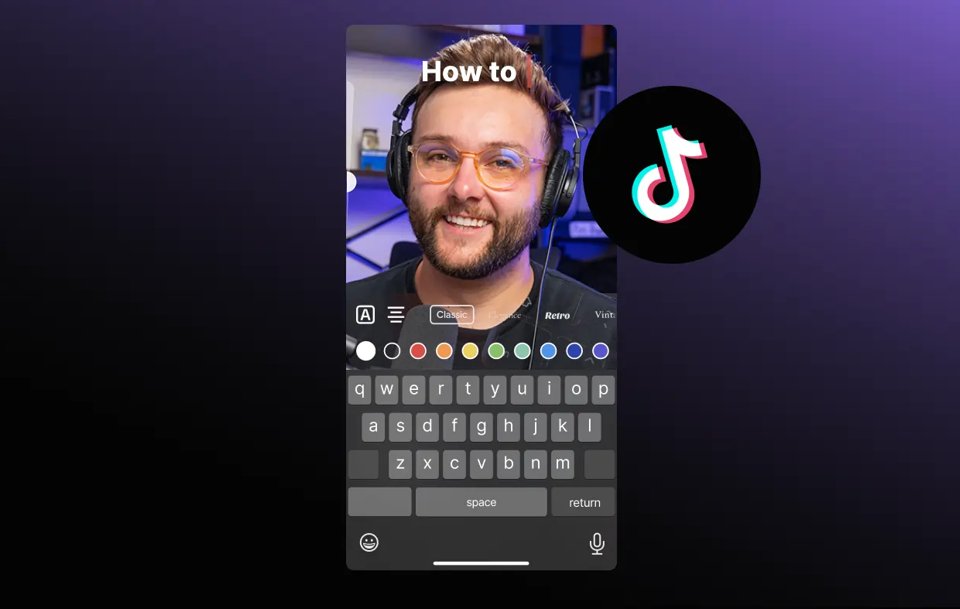
TikTok moves fast. You only have a few seconds to grab attention before someone scrolls away. That is why these TikTok video editing tips focus on keeping viewers hooked from the very first frame. Good edits can turn a simple clip into something people watch again and again.
Edit for the First Three Seconds
The first three seconds decide everything. Start with movement, a bold visual, or a strong reaction. Cut out slow intros completely. When people feel curious right away, they stay longer. This is one of the most important video editing tips for short videos.
Keep Cuts Fast and Easy to Follow
Long shots do not work well on TikTok. Short, clean cuts keep the energy high and stop boredom. Remove pauses and filler words. Every second should earn its place. Fast pacing makes viewers feel like something is always happening.
Use Text Overlays to Guide the Viewer
Most people watch TikTok without sound. On-screen text helps them understand the message instantly. Keep text short, clear, and placed in safe areas so it does not get cut off. Text should support the story, not distract from it.
Master these tips, and your watch time will improve naturally.
YouTube Video Editing Tips for Longer Content

Editing for YouTube is very different from editing for short videos. People stay longer only when the video keeps giving them a reason to watch. These YouTube video editing tips focus on retention, not perfection. You do not need to be fancy. You need to be clear and engaging.
Edit for Retention: Not Just Clean Cuts
Clean cuts matter, but retention matters more. Remove filler words, long pauses, and repeated points. If a clip does not add value, it should go. Think like a viewer. Would you keep watching this part? If not, cut it. This mindset changes how to edit videos for YouTube in a powerful way.
Break the Video Into Clear Sections
Long videos feel easier to watch when they are broken into parts. Use visual cues, topic changes, or light zooms to signal new sections. This helps viewers stay focused and makes the video feel shorter than it really is.
Let Your Edits Support the Message
Avoid editing just to look cool. Simple zooms, light cuts, and on-screen text should support what you are saying. When edits match the message, people trust the content more and stay longer.
These YouTube video editing tips help your videos feel smoother and easier to watch.
CapCut Video Editing Tips for Beginners and Creators
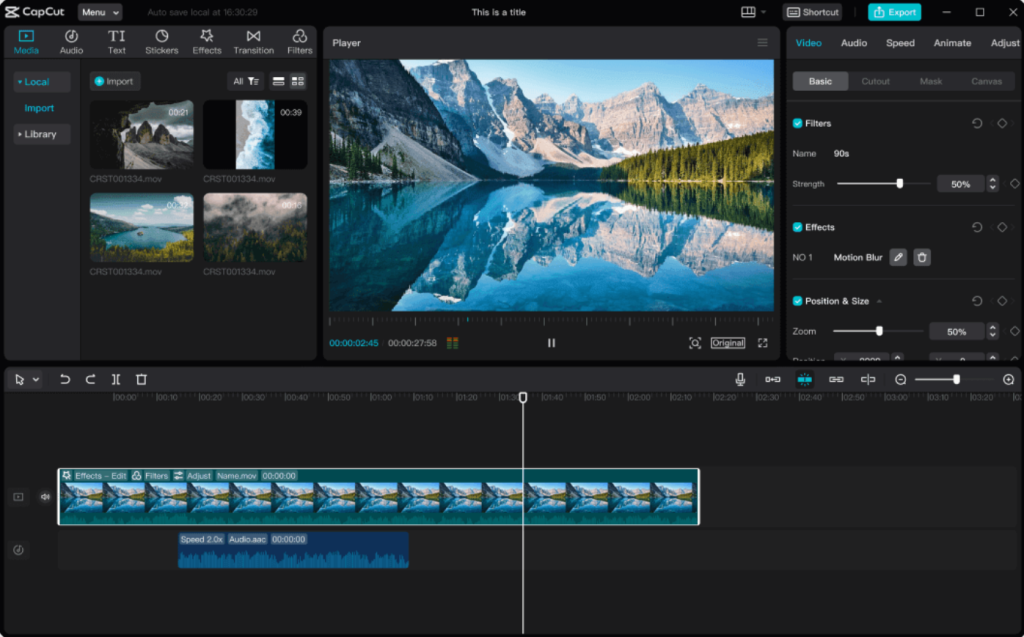
CapCut is popular for a reason. It is simple, fast, and powerful at the same time. If you are new to editing or want quick results, these CapCut video editing tips will help you create clean and engaging videos without stress.
Use CapCut Tools That Save Time
CapCut has smart tools that make editing easier. Auto captions help your message reach people who watch without sound. Speed controls let you remove slow moments and keep energy high. Templates are great for beginners, but always tweak them to match your style. These tools help you learn how to edit a video without feeling overwhelmed.
Avoid Overusing Effects and Presets
CapCut offers many effects, but more is not always better. Too many filters and animations can make a video feel messy. Choose one style and stay consistent. Simple edits often look more professional and are easier to watch.
Export Settings That Keep Quality High
Always export in the highest quality your platform supports. Make sure the video stays sharp and clear after upload. Clean exports are an important part of how to make edits that feel polished.
These CapCut video editing tips help you work faster and smarter.
Common Video Editing Mistakes and How to Fix Them
Even good editors make mistakes. Most beginners just do not notice them. These common problems quietly hurt your videos and lower watch time. Fixing them will instantly improve how you edit videos and make your content feel more professional.
Over-Editing or Under-Editing
- Adding too many effects, zooms, and transitions
- Leaving long pauses and boring moments
- Fix it by keeping only edits that help the viewer
- When in doubt, choose simple, clean cuts
Ignoring Audio Levels
- Music louder than voice
- Sudden volume changes
- Background noise left untreated
- Fix it by balancing audio and always listening before export
Using Too Many Fonts, Effects, or Transitions
- Mixing multiple fonts in one video
- Using flashy transitions for every cut
- Fix it by choosing one font and one style
- Consistency makes edits feel clean and intentional
Avoiding these mistakes will quickly improve how to edit and how to make edits that feel smooth and professional.
How to Make Edits Faster Without Losing Quality

Editing should not feel slow or frustrating. When you work without a system, even simple edits take too long. These video editing tips will help you learn how to make edits faster while keeping your videos clean and professional.
Use Keyboard Shortcuts and Timeline Tools
- Mouse clicking slows down editing
- Learn basic shortcuts for cutting, zooming, and undoing
- Shortcuts speed up the process of editing a video instantly
- Faster actions mean less frustration
Organize Your Clips Before You Start Editing
- Rename video files so they are easy to find
- Group clips into folders like main footage and B-roll
- Delete useless clips before editing
- Clean files make editing videos feel easier
Edit With a Clear Plan
- Know the message before opening the editor
- Follow a simple outline instead of guessing
- Fewer mistakes means less re-editing
- Planning saves time and improves quality
Once you follow this process, editing becomes smoother, faster, and more enjoyable.
Video Editing Tips for Different Skill Levels
Everyone starts somewhere. Some people are just learning how to edit a video, while others want their edits to feel more polished and confident. No matter where you are, these video editing tips will help you move forward without feeling stuck.
Beginner Video Editing Tips
- Focus on clean cuts and clear audio
- Learn how to edit videos step by step before trying effects
- Keep transitions simple and natural
- Practice often instead of trying to be perfect
Intermediate Video Editing Tips
- Improve pacing by removing weak moments
- Use music and b-roll to support the story
- Start thinking about flow and viewer experience
- Learn how to make edits that feel smooth, not rushed
Advanced Video Editing Tips
- Develop a consistent editing style
- Edit with emotion and intention
- Refine color, sound, and timing
- Make every edit serve the story
No matter your level, the key is progress. Keep learning, keep practicing, and keep enjoying the process. Great edits are built one video at a time.
Conclusion: Master Video Editing With Practice and Purpose
Great editing is not about being perfect. It is about getting better with every video. When you follow the right video editing tips and focus on purpose, your edits start to feel natural and confident. You do not need expensive gear or advanced software to improve. You just need practice, patience, and a clear goal.
The more you edit, the more you understand how to edit videos in a way people enjoy watching. Some edits will fail, and that is okay. Every mistake teaches you something valuable. Keep your edits simple, stay focused on the story, and always think about the viewer. Over time, you will stop guessing and start editing with confidence. Stick with these video editing tips and tricks, and you will see real improvement faster than you expect.
You can speed up the video editing process by organizing your clips first using keyboard shortcuts and cutting out unnecessary footage early.
Frequently Asked Questions
How to speed up the video editing process tips?
You can speed up the video editing process by organizing your clips first using keyboard shortcuts and cutting out unnecessary footage early.
How to edit YouTube Shorts video editing tips?
To edit YouTube Shorts, focus on fast cuts, vertical framing, clear text, and strong hooks in the first few seconds.
How to evaluate video editing quality tips?
You can evaluate video editing quality by checking smooth cuts, clear audio, natural colors, and whether the story flows without confusion.
How to improve video quality?
To improve video quality, adjust brightness and contrast, clean up audio, remove shaky clips, and avoid overusing effects.
How to make a YouTube Shorts video?
To make YouTube Shorts, use short, engaging clips, bold visuals, readable text, and quick pacing to hold attention.