
Remote work and hybrid schedules are normal now. But being on a video call still feels weird sometimes. Good virtual meeting etiquette turns awkward moments into smooth conversations. This guide gives clear tips you can use today, whether you’re a meeting host, a quiet attendee, or a presenter who wants to shine. Read on, and you’ll feel ready, calm, and confident on camera.
Why Virtual Meeting Etiquette Matters
People notice small things: a noisy background, someone talking over others, or a camera that is sideways. These small things make meetings longer and leave people drained. Great meeting etiquette for virtual meetings makes meetings faster, kinder, and more productive. It helps teams get work done and shows respect for everyone’s time.
Before the Meeting: Prepare Like a Pro
- Check tech early: Test your mic, camera, and internet five to ten minutes before the call. This saves time and stress.
- Choose a quiet, tidy spot: A clear background and low noise help people focus on you, not your messy room.
- Dress for the part: You do not need a suit, but look neat. Your clothes tell people you respect the meeting.
- Share the agenda: Meeting hosts should send a short agenda so everyone knows the goal. This is classic meeting etiquette for virtual meetings.
- Read any materials: If there’s a doc or slides, look through them first. That way, you can join the conversation with confidence.
Joining the Call: First Impressions Count
- Join on time: If you arrive a little early, you can greet people without interrupting the start.
- Mute by default. Keep your mic on mute until you speak. Background noises can be distracting.
- Use your name. Set your display name so people know who you are, especially in large meetings.
- Turn on the camera when possible: Faces create connection. If you can, turn on your camera to show presence.

While the Meeting Is On: Be Present and Respectful
Speak like you mean it
- Wait for your turn. Avoid interrupting. Use the chat or a raise-hand feature when possible.
- Say what matters in two or three sentences. Long monologues kill energy.
- Use names. This helps people engage and stay focused.
Use body language and voice
- Sit up and look at the camera. It feels like eye contact.
- Smile when appropriate. Warmth goes a long way on video.
- Speak clearly and at a steady pace. Microphones pick up mumbling; slow down.
Manage distractions
- Close unnecessary tabs and apps. This frees bandwidth and keeps your focus.
- Avoid multitasking. Checking your email or your phone sends the wrong message.
- If you must step away, say so. A quick “BRB” in chat is polite.

For Hosts: Run a Kind and Efficient Meeting
- Start on time and end on time: Respecting the schedule is essential.
- Set clear goals: Tell people why you’re meeting and what success looks like.
- Assign roles: Who will take notes? Who will timebox speaking? Clear roles keep meetings moving.
- Encourage participation: Ask direct questions: “Sara, what do you think about this?”
- Recap actions: At the end, share who will do what and by when. Put tasks into the chat or meeting notes.
Accessibility and Inclusion: Make Meetings Fair
- Use captions if available: Live captions help people with hearing difficulties and non-native speakers.
- Share slides and notes afterwards: Some people process info better after the call.
- Be patient: Tech glitches happen. Give people time to connect and speak.
- Balance airtime: Invite quieter participants to share; do not let a few people dominate.
Little Habits that Make a Big Difference
- Use headphones: They reduce echo and protect privacy.
- Rename yourself with role + name: Example: “Mina, Product”. This helps in big calls.
- Avoid eating loudly: If you must eat, turn off the camera and mute the mic.
- Use status tools; If you need to focus, set your chat to “Do Not Disturb.”
Quick Checklist: Virtual Meeting Etiquette For Participants & Attendees
- Test audio and camera early.
- Mute when not speaking.
- Dress neatly and be on camera when you can.
- Keep comments short and on-topic.
- Use chat for links or quick notes.
- Follow the host’s agenda and timing.
- Share meeting notes and actions after the call.
This checklist is easy to turn into a printable virtual meeting etiquette pdf for your team. Save it, print it, or share it as a one-page reminder.

Troubleshooting Common Problems
Problem: Your audio is choppy.
Fix: Switch from Wi-Fi to wired if possible, or close apps that use the internet.
Problem: Someone keeps interrupting.
Fix: The host can set ground rules and use a hand-raise feature.
Problem: People are not engaged.
Fix: Use polls, quick round-robin questions, or shorter agenda items.
Why Brief Meetings Usually Win (the 40-20-40 idea)
A simple rule many teams use is 40-20-40: plan a 40 percent preparation time, 20 percent meeting time, and 40 percent follow-up time. It means: prepare, meet briefly, then do the actual work after the call. This keeps meetings lean and productive.
The 5 P’s of Meetings
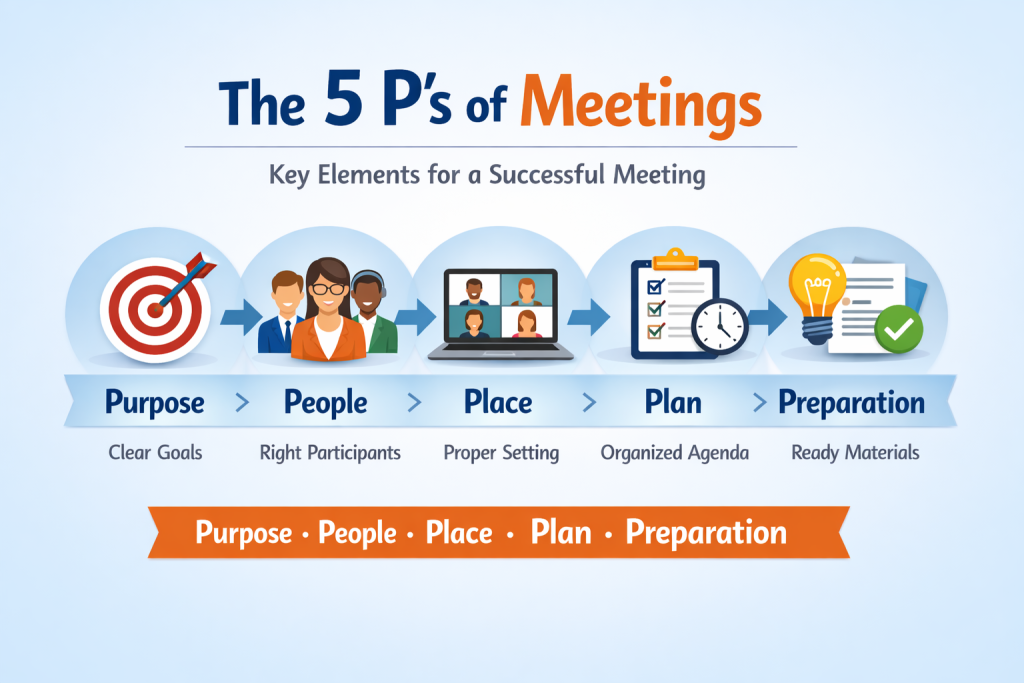
The classic 5 P’s are: Purpose, People, Place, Plan, and Preparation. If you have these five things sorted, your meeting is much more likely to succeed. These Ps are easy to remember and follow as part of basic meeting etiquette for virtual meetings.
Top 5 Rules of Etiquette to Always Follow
- Be punctual. Respect others’ time.
- Be prepared. Know the agenda and materials.
- Be present. Avoid distractions during the call.
- Be polite. Don’t interrupt and use names.
- Be clear. Speak with purpose and summarize next steps.
These five simple rules are the backbone of good virtual meeting etiquette for attendees and hosts alike.
Final Thoughts: Make Etiquette Part of Your Team Culture
Good virtual meeting etiquette is not fancy. It is respectful. It saves time and lowers stress. When everyone follows simple rules, meetings are shorter and better. Try the checklist above and consider making a small virtual meeting etiquette pdf for your team. Share it, print it, and watch your meetings get kinder and more useful.
FAQs
What are the etiquette rules followed in a virtual meeting?
Etiquettes include joining on time, muting when not speaking, using your camera when possible, following the agenda, and speaking respectfully.
What are the 5 P’s of meetings?
The 5 P’s are Purpose, People, Place, Plan, and Preparation. They help a meeting start and end successfully.
What is the 40 20 40 rule for meetings?
40-20-40 means spend 40% of time preparing, 20% in the actual meeting, and 40% on follow-up and execution. It keeps meetings short and effective.
What are the 5 rules of etiquette?
Be punctual, be prepared, be present, be polite, and be clear.